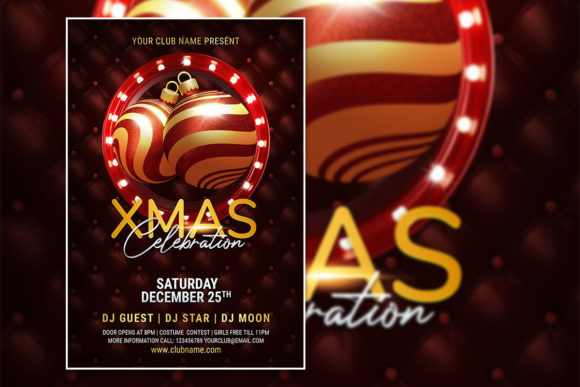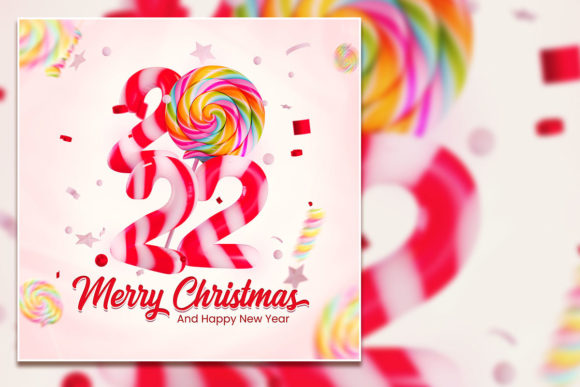
Moder Merry Xmas Poster Template
Designing a holiday promotion or event invitation often starts with a strong visual foundation. The Moder Merry Xmas Poster Template offers exactly that—a polished, fully editable PSD file built for speed and flexibility. Whether you are a freelance designer juggling multiple clients, a small business owner planning a seasonal sale, or a hobbyist creating a personal Christmas card, this template gives you a professional starting point without locking you into a rigid layout. The file ships at 2000 x 3000 pixels, 300 dpi, in RGB color mode, and includes organized layers, a ready-to-use JPG, and a help file with font download links. What makes it genuinely useful is the freedom to change every text block, swap the placeholder photo with your own image, and adjust the overall tone to match your brand or event.
This article explores the creative possibilities, practical applications, and actionable strategies for getting the most out of this editable template. You will find ideas for adapting it across different platforms, audiences, and goals—with an emphasis on keeping your results clear, consistent, and original.
What Makes the Template Stand Out for Creators
The core appeal of this Merry Christmas flyer template lies in its balance between structure and freedom. The PSD file comes with well-organized layers, meaning you can isolate backgrounds, text, shapes, and images without accidentally breaking the design. For anyone who has ever struggled with flattened files or messy layer panels, this alone saves hours of frustration. The built-in typography uses a specific font, but the download link in the help file lets you install it quickly for a seamless editing experience. If you prefer a different typeface, you can select any text layer with the text tool and replace it with your own font in seconds.
For designers working in Adobe Photoshop, the 300 dpi resolution ensures print-ready quality for posters, flyers, or even larger signage. The 2000 x 3000 pixel dimensions provide a vertical format that works well for door posters, social media stories, and email headers. Because the color mode is RGB, you can also use the file for digital channels without conversion issues. This versatility makes the template suitable for both physical distribution and online promotion.
Creative Applications Across Different Goals
A single template can serve many purposes if you approach it with a clear vision. Below are several ways different users can adapt the Moder Merry Xmas Poster Template for their specific needs.
Event Invitations and Party Flyers
If you are hosting a Christmas celebration—whether a family gathering, a corporate party, or a community event—this flyer template provides a festive backdrop. Replace the placeholder photo with a shot from last year’s event or a candid holiday image that feels warm and personal. Adjust the headline to include your event name, date, time, and location. Because the text is fully editable, you can style the details in a hierarchy that guides the reader naturally: big bold title, then secondary details, and finally a call-to-action such as RSVP info or ticket link. For a more elegant look, swap the font to a clean sans-serif for the body text while keeping a decorative script for the main title.
Christmas Sale and Retail Promotions
Small business owners and marketers can repurpose this template into a Christmas Celebration Sale Flyer. Change the main heading to something like “Holiday Sale – Up to 40% Off” and use the editable text blocks to list product categories, discount codes, or store hours. The visual structure of the template already supports a prominent focal point, so placing your best-selling product image in the photo area can drive immediate attention. Keep the background elements festive but not cluttered—let the offer speak clearly. Since the file includes organized layers, you can quickly duplicate the PSD for different product lines or store locations, swapping only the image and offer details.
Social Media and Digital Campaigns
Although the template is designed at a print-friendly resolution, you can easily adapt it for Instagram posts, Facebook covers, or LinkedIn banners. Simply resize the canvas in Photoshop while preserving the key visual elements. The RGB color mode ensures your colors appear vibrant on screens. For Instagram, consider cropping the 2000 x 3000 vertical layout to a 1080 x 1350 portrait size, keeping the main title and photo in the upper two-thirds. For a Facebook event cover, use the original dimensions with a centered layout that includes the date and a link to your event page. The editable nature of the PSD makes these adjustments straightforward.
Personal Greeting Cards and Holiday Newsletters
Hobbyists and educators can use the template as a base for personalized Christmas cards or classroom newsletters. Replace the stock photo with a family portrait or a fun classroom shot. Change the text to include a heartfelt message, a year-in-review summary, or a holiday poem. The professional print resolution means you can order physical prints from a local shop or online service without quality loss. For a newsletter, you can reduce the file size by saving a JPEG version at 150 dpi for email distribution.
Adapting the Template for Different Audiences
Understanding who you are communicating with helps you make better design decisions. The same template can feel corporate or casual depending on the font, image, and color adjustments you make.
For a corporate audience, choose a clean, modern font like Helvetica or Open Sans. Use a professional photo—perhaps a team shot or a staged holiday scene with subtle decorations. Keep the color palette minimal: deep green, gold, and white. The template’s organized layers let you reduce the number of decorative elements so the flyer feels polished rather than busy.
For a family-friendly or community event, opt for a more playful font and a warm, candid image. Add icons or small illustrations if you have them, or use the existing shapes in the template as accents. Bright reds, greens, and soft whites create a traditional Christmas feeling. The editable text allows you to include multiple lines for potluck details, kid-friendly activities, or dress codes.
For a creative or artistic audience, experiment with a bold, unconventional typeface and a high-contrast photo. Replace the background color with a dark navy or charcoal and use metallic gold text. The 300 dpi file gives you the latitude to add subtle texture overlays or gradient maps without degrading the resolution.
Practical Guidance for Keeping Results Clear and Organized
Editing a layered PSD file is straightforward, but a few practices help you maintain consistency and avoid common mistakes. First, always work on a copy of the original file. This ensures you can go back to the source if you need to start over. Second, use the layer groups to your advantage. The template likely groups background, text, images, and effects separately. Rename layers as you edit so you can find them later, especially if you plan to reuse the file for future campaigns.
When replacing the photo, choose an image with similar lighting and composition to the placeholder. This helps the overall design remain cohesive. If your photo has a different color temperature, use adjustment layers to balance it with the rest of the flyer. Keep text layers active and editable rather than rasterizing them. This way, you can return weeks later and update a date or price without rebuilding the file.
For print projects, convert the final file to CMYK if your printing service requires it, but keep the working file in RGB for maximum editability. Always export a high-resolution PDF or TIFF for professional printing. For digital use, save a JPEG at quality 10 or higher to balance file size and clarity.
Making the Template Your Own Without Losing Its Strengths
One of the biggest risks with templates is ending up with a design that looks generic. The Moder Merry Xmas Poster Template avoids this by giving you enough creative control to inject your personality. Start by swapping the placeholder image with something that tells your story. A local bakery might use a photo of their holiday cookies; a yoga studio could show a peaceful winter scene. The text should reflect your voice—whether that is formal, friendly, or playful.
Consider also adjusting the color scheme. While the template comes with a preset palette, you can shift hues using adjustment layers or by recoloring smart objects. If you have brand colors, apply them to the title and secondary text. This simple change immediately makes the flyer feel custom rather than off-the-shelf.
Another subtle but powerful customization is layering additional textures or overlays. A soft snow overlay, a subtle grain, or a light vignette can add depth without overwhelming the layout. Because the file is fully editable, you can add these effects on separate layers and tweak their opacity until they look right.
Practical Inspiration for Specific Project Ideas
To help you get started, here are three concrete project ideas that use the template in distinct ways.
Project One: Local Holiday Market Flyer – Use the template to promote a weekend Christmas market. Replace the photo with a wide shot of the venue or a collage of vendor products. List the dates, times, and a brief description of what visitors can expect. Add a small section for vendor applications or a link to register. Print at full size for storefront windows and share a digital version on local community boards.
Project Two: Nonprofit Fundraising Event – A charity organization can adapt the template for a holiday gala or donation drive. Choose a warm, emotional photo that reflects the cause. Use the headline to state the event name and the subhead to communicate the mission. Include a clear call-to-action for ticket purchases or donation links. The organized layers make it easy to update the event details each year.
Project Three: Classroom Christmas Party Invitation – Teachers and parent volunteers can create a fun flyer for a class celebration. Use a group photo of the students or a festive illustration. List the date, time, and what each family should bring. Add a cheerful note about Secret Santa or gift exchange rules. Print on letter-size paper or share as a PDF via email.
Final Considerations for a Successful Holiday Design
The Moder Merry Xmas Poster Template is more than a ready-made layout—it is a tool that adapts to your specific context. By thinking carefully about your audience, your message, and the platform you are designing for, you can create a result that feels both professional and personal. Whether you are printing posters for a storefront, posting on social media, or sending an email blast, the template gives you a consistent foundation while leaving room for your creative input.
Keep your design clean, your message clear, and your edits organized. Test different font combinations and photo treatments before finalizing. And remember: the ability to change everything—text, image, colors, layout elements—means you are never stuck with a generic look. With a little thought and a few intentional choices, this editable PSD can become a signature piece for your holiday communications.