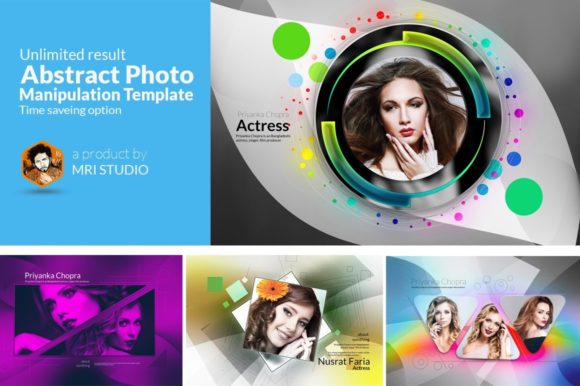
Abstract Photo Manipulation and Smart Object PSD Templates
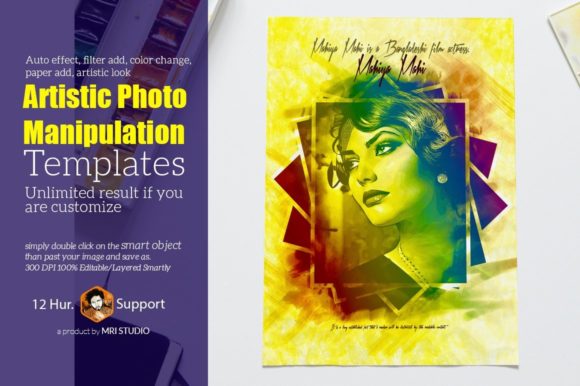
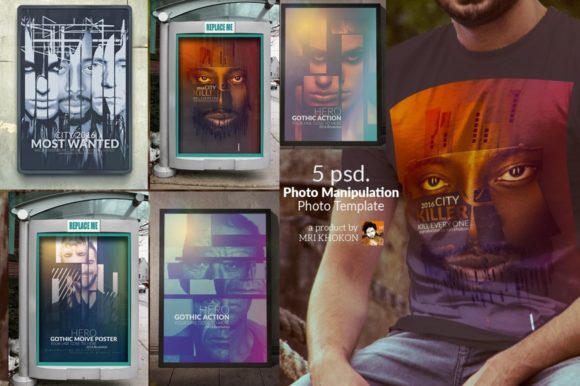
Abstract photo manipulation is a powerful technique that allows artists and designers to create visually stunning images by altering, combining, or transforming existing photographs. This process involves using advanced editing tools to achieve unique and creative results. One of the most effective ways to streamline this process is through the use of abstract photo manipulation PSD templates, which offer a range of features including smart object placeholders, unlimited customization options, and support for multiple software versions.
What is Abstract Photo Manipulation?
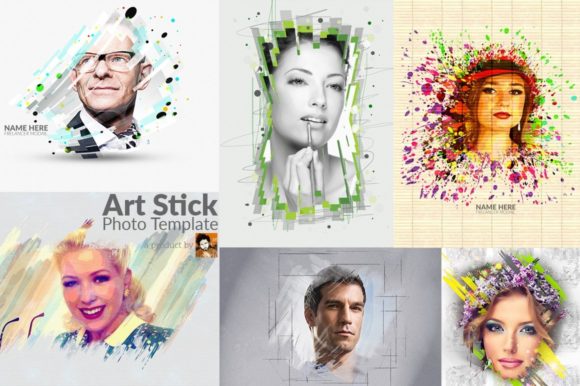
Abstract photo manipulation refers to the practice of altering a photograph in non-literal or non-representational ways. Unlike traditional photo editing, which often focuses on enhancing realism, abstract manipulation emphasizes form, color, texture, and composition to create a more conceptual or artistic image. This can involve techniques such as layer blending, masking, and the use of special effects to produce a surreal or imaginative outcome.
For example, an artist might take a simple landscape photo and transform it into a dreamlike scene by adding abstract shapes, changing the color scheme, or introducing elements that don’t exist in the original image. The result is a piece that evokes emotion or thought rather than simply representing reality.
Understanding Smart Object Placeholders in PSD Templates
Smart object placeholders are a key feature in many Photoshop (PSD) templates, especially those used for abstract photo manipulation. A smart object is a container that holds image data, such as a photo or graphic, in a vector or raster format. When you place a smart object in a design, it retains its original properties, allowing for non-destructive editing.
This means that if you want to change the content of a smart object, such as replacing a background image or adjusting the color, you can do so without affecting the rest of the design. This makes smart objects incredibly useful for maintaining flexibility and control over your work.
Why Use Smart Object Placeholders?
- Unlimited Result Options: With smart objects, you can experiment with different images, colors, and textures without worrying about damaging the original design.
- Easy Customization: Changing the content of a smart object is as simple as double-clicking it and editing the source file.
- Consistent Quality: Smart objects maintain their resolution and clarity, ensuring that your final output looks sharp and professional.
Key Features of Abstract Photo Manipulation PSD Templates
When looking for abstract photo manipulation PSD templates, there are several important features to consider. These include:
- Multiple PSD Files: High-quality templates often come with multiple layers and files, giving you more control over the final design.
- High Resolution: A resolution of 3600×2400 pixels at 300 DPI ensures that your images look crisp and detailed, whether printed or displayed online.
- RGB Color Mode: This mode is ideal for digital displays and ensures vibrant, accurate colors.
- Editable Layers: The ability to edit individual layers gives you greater flexibility in making adjustments and fine-tuning your design.
- Smartly Organized Groups: Well-organized groups make it easier to navigate and manage complex designs.
Software Compatibility and Version Support
Abstract photo manipulation PSD templates are typically compatible with a wide range of Adobe Photoshop versions. Common supported versions include CS3, CS4, CS5, CS6, and CC. This broad compatibility ensures that users can work with the templates regardless of their software version.
However, it's important to note that newer versions of Photoshop may offer additional features and improvements that can enhance the manipulation process. For instance, newer versions often include better support for smart objects, more advanced blending modes, and improved performance when working with large files.
How to Customize and Use Abstract Photo Manipulation Templates
Using an abstract photo manipulation PSD template is relatively straightforward, even for beginners. Here’s a basic guide to get you started:
- Open the PSD File: Launch Adobe Photoshop and open the template file you’ve downloaded.
- Locate Smart Objects: Look for layers labeled as smart objects. These are usually indicated by a small icon in the layer panel.
- Edit Smart Objects: Double-click on a smart object to open it in a new window. You can now replace the content, adjust the color, or apply filters as needed.
- Save and Export: Once you’re satisfied with your changes, save the file and export it in your desired format, such as PNG or JPEG.
The Benefits of Using Abstract Photo Manipulation Templates
There are numerous benefits to using abstract photo manipulation templates, especially for both novice and experienced designers. Some of the main advantages include:
- Saves Time: Templates provide a ready-made structure, allowing you to focus on creativity rather than starting from scratch.
- Improves Consistency: Using a template ensures that your designs maintain a cohesive look and feel.
- Encourages Experimentation: With smart object placeholders, you can try out different ideas and see how they affect the overall design.
- Enhances Learning: Working with templates can help you understand best practices in design and photo manipulation.
Common Misconceptions About Abstract Photo Manipulation
Despite its growing popularity, there are still some misconceptions about abstract photo manipulation. One common assumption is that it requires advanced technical skills. While it’s true that mastering the technique takes time and practice, many tools and templates are designed to be user-friendly, making it accessible to a wider audience.
Another misconception is that abstract manipulation is only for artistic purposes. In reality, it has practical applications in fields such as marketing, advertising, and product design. For example, businesses often use abstract photo manipulations to create eye-catching visuals for social media campaigns or promotional materials.
Conclusion
Abstract photo manipulation is a versatile and creative technique that allows designers to push the boundaries of traditional photography. By using smart object placeholders in PSD templates, users can achieve a wide range of visual effects while maintaining flexibility and control over their work. Whether you're a beginner looking to explore digital art or an experienced designer seeking to streamline your workflow, abstract photo manipulation templates offer a valuable resource for creating stunning and unique images.
With support for multiple software versions, high-resolution files, and easy customization, these templates are an essential tool for anyone interested in digital design. As technology continues to evolve, the possibilities for abstract photo manipulation will only continue to expand, offering new opportunities for creativity and innovation.