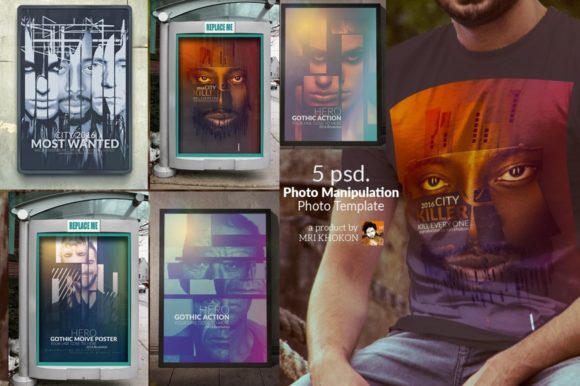
Art Stick Photo Manipulation: A Creative Tool for Digital Artists
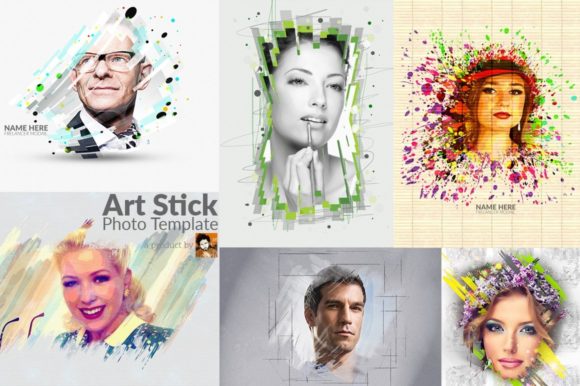
Art Stick Photo Manipulation is a powerful tool that allows users to transform ordinary photographs into stunning digital artworks. This innovative approach combines the precision of photo editing with the artistic flair of digital design, offering a unique way to enhance and customize images. Whether you're a professional designer or an amateur photographer, Art Stick Photo Manipulation provides a versatile platform to explore your creativity and bring your vision to life.
The product is designed as a Photoshop (PSD) template, which means it offers a structured yet flexible framework for photo manipulation. This makes it ideal for those who want to experiment with different visual effects without starting from scratch. The templates are built with high-resolution settings, ensuring that your final output maintains clarity and detail, even when printed at large sizes.
Why Professionals and Enthusiasts Love Art Stick Photo Manipulation
One of the key reasons why many designers and photographers appreciate Art Stick Photo Manipulation is its smart object placement feature. This functionality allows users to insert their own photos into pre-designed layouts seamlessly. Instead of manually adjusting elements, you can simply replace the placeholder image with your own, preserving the original composition and style of the template.
Another standout feature is the auto-manipulation arrangement. This means that the software automatically adjusts the layout based on the image you insert, ensuring that the final result looks cohesive and visually appealing. This is especially useful for beginners who may not have extensive experience in graphic design but still want to create professional-looking images.
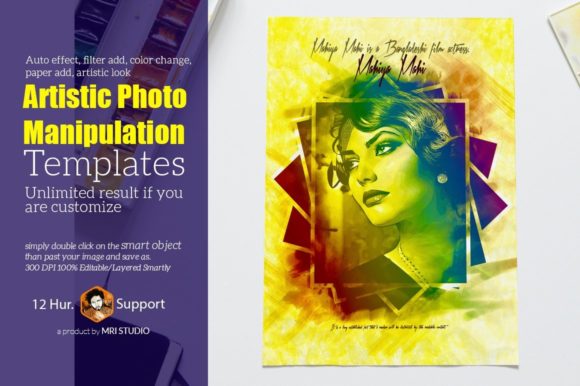
Additionally, the auto-effect filter add and color change features provide a wide range of options to modify the mood and tone of your images. Whether you want to create a dramatic black-and-white effect or add a vibrant color overlay, these tools make it easy to achieve the desired look with minimal effort.
Key Features of Art Stick Photo Manipulation Templates
Art Stick Photo Manipulation templates come with several advanced features that make them a valuable asset for any creative project. These include:
- 5 PSD Files: Each template includes multiple layers, allowing for detailed customization and control over every element of the design.
- High-Resolution Settings: With a resolution of 3000×4000 pixels and 300 DPI, these templates ensure that your images are sharp and clear, suitable for both digital and print use.
- RGB Color Mode: This ensures that colors appear accurately on digital screens, making it ideal for web-based projects and social media content.
- Editable and Layered: The templates are fully editable, allowing users to adjust individual elements such as text, background, and effects without affecting the rest of the design.
- Smartly Organized Groups: Layers are grouped logically, making it easier to navigate and manage complex designs.
- Smart Object Feature: This allows users to non-destructively edit images, preserving the original quality while making adjustments as needed.
- Help Guide Included: A comprehensive guide is provided to assist users in understanding how to use the templates effectively.
The templates also support a range of Adobe Photoshop versions, including CS3, CS4, CS5, CS6, CC, and later releases. This ensures compatibility across different software environments, making it accessible to a wide audience of users.
Practical Applications of Art Stick Photo Manipulation
Art Stick Photo Manipulation has a variety of real-world applications that make it a valuable tool for different industries. For instance, in the field of marketing and advertising, businesses can use these templates to create eye-catching promotional materials. By inserting product images into pre-designed layouts, they can quickly produce high-quality visuals that align with their brand identity.
In the realm of photography, artists can use Art Stick Photo Manipulation to enhance their portfolio by adding unique artistic touches to their work. Whether it's creating a surreal atmosphere or adding a vintage feel, the flexibility of the templates allows for endless creative possibilities.
Educators and students can also benefit from this tool. It provides a hands-on way to learn about photo manipulation techniques and digital design principles. By experimenting with different effects and layouts, learners can develop a deeper understanding of visual storytelling and graphic design concepts.
Customization and Flexibility
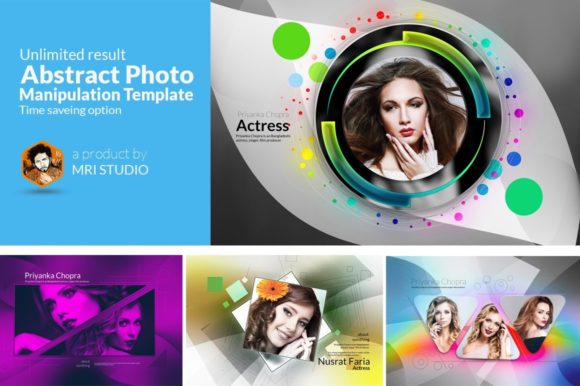
One of the most appealing aspects of Art Stick Photo Manipulation is the level of customization it offers. Users can easily edit the layers, adjust the color schemes, and apply various filters to suit their specific needs. This makes it an excellent choice for those who want to create unique and personalized designs.
The ability to add paper textures and artistic elements further enhances the visual appeal of the final output. These additions can give a more tactile and organic feel to digital images, making them stand out in a crowded market.
Moreover, the unlimited results feature means that there are no restrictions on how many variations you can create. This encourages experimentation and helps users discover new styles and techniques that they might not have considered before.
Choosing the Right Software Version
When working with Art Stick Photo Manipulation templates, it's important to choose the right version of Adobe Photoshop. The templates are compatible with a range of software versions, including CS3, CS4, CS5, CS6, CC, and beyond. This ensures that users can work with the tools they are most comfortable with, regardless of their software setup.
For those using older versions of Photoshop, it's advisable to check the compatibility of the templates to avoid any potential issues. However, most modern templates are designed to work seamlessly across different versions, providing a consistent user experience.
Font Usage and Design Consistency
Art Stick Photo Manipulation templates often incorporate the Lato font, known for its clean and modern appearance. This font is highly readable and works well in both digital and print formats, making it a popular choice among designers.
The use of a consistent font throughout the design helps maintain visual harmony and professionalism. It also ensures that the text elements in the templates are legible and aesthetically pleasing, enhancing the overall impact of the final image.
By combining the power of photo manipulation with the elegance of typography, Art Stick Photo Manipulation enables users to create visually compelling and professionally crafted designs that resonate with their target audience.