Hexone Google Slide Template Overview
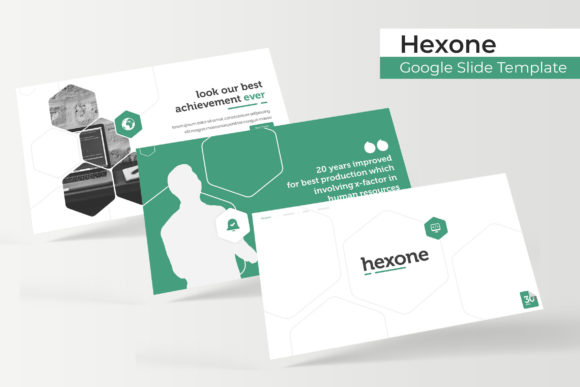
The Hexone Google Slide Template is a versatile and professionally designed presentation tool that simplifies the process of creating visually appealing slides. Whether you're preparing a business pitch, an educational lecture, or a creative project, this template offers a range of features to suit various needs. Its clean design and user-friendly layout make it accessible for beginners and professionals alike.
Key Features of the Hexone Google Slide Template
The Hexone Google Slide Template comes with a comprehensive set of features that enhance both the visual appeal and functionality of your presentations. Here are some of the most notable aspects:
- 150 Total Slides – The template includes a generous number of slides, allowing you to structure your content in detail without worrying about running out of space.
- 5 Premade Colors – Choose from five different color schemes to match your brand, event theme, or personal style.
- 30 Slides per Template – Each color variation includes 30 slides, ensuring consistency and ease of use across your entire presentation.
- Handcrafted Infographic in PowerPoint – Incorporate professional-looking infographics directly into your slides to present data and information clearly.
- Section Break Slides – Easily divide your presentation into sections with dedicated break slides, improving navigation and flow.
- Gallery and Portfolio Slides – Showcase images, projects, or work samples with dedicated slides designed for visual impact.
- Resizable and Editable Graphic Picture Placeholder – Customize your slides by adding and resizing images easily using the built-in placeholders.
- Drag-and-Drop Functionality – Rearrange elements on your slides with simple drag-and-drop actions, making the editing process intuitive.
- Based on Master Slides – Maintain a consistent look throughout your presentation using master slides for uniformity and efficiency.
- Pixel-Perfect Illustrations – Enjoy high-quality, detailed illustrations that add a polished touch to your slides.
What’s Included in the Hexone Google Slide Template?
The Hexone Google Slide Template package includes everything you need to get started right away. Here's a breakdown of the contents:
- 5 PPTX Files – Access five different versions of the template in the standard PPTX format.
- 5 PPTX Widescreen – Get widescreen versions of the template for a more modern and immersive viewing experience.
- 5 Premade Color Variations – Choose from five distinct color themes to match your specific needs or branding.
- Readme File – A helpful guide that explains how to use the template and highlights key features.
- First Font Used – A free font download link is included, so you can easily access the primary font used in the design.
It’s important to note that while the template includes sample images and visuals for illustration purposes, the actual photographs or pictures used in the preview are not included. You’ll need to source your own images or use stock photography to complete your presentation.
Who Can Benefit from Using the Hexone Google Slide Template?
The Hexone Google Slide Template is ideal for a wide range of users, including entrepreneurs, educators, marketers, and creatives. Its flexibility makes it suitable for both personal and professional use. For instance, a small business owner might use it to create a compelling sales pitch, while a teacher could use it to design engaging lesson plans.
Beginners will appreciate the intuitive design and easy-to-use features, which eliminate the need for advanced graphic design skills. Experienced users, on the other hand, will value the time-saving benefits of having a pre-designed template that allows for quick customization.
Practical Use Cases for the Hexone Google Slide Template
Here are some real-world scenarios where the Hexone Google Slide Template can be particularly useful:
- Business Presentations – Create professional-looking slides for client meetings, investor pitches, or internal team updates.
- Educational Materials – Design interactive lessons, study guides, or training modules for students or employees.
- Marketing Campaigns – Develop eye-catching slides for social media, email newsletters, or digital ads.
- Portfolio Showcases – Highlight your work, projects, or creative portfolio with visually appealing slides that reflect your style.
- Event Planning – Use the template to prepare presentations for conferences, workshops, or product launches.
Each of these use cases demonstrates the versatility of the Hexone Google Slide Template and its ability to adapt to different contexts and goals.
Considerations Before Using the Hexone Google Slide Template
Before diving into your presentation, there are a few things to keep in mind:
- Customization Needs – While the template provides a solid foundation, you may need to adjust elements to better fit your specific message or brand identity.
- Image Sourcing – Remember that the template does not include actual photographs, so plan to find or purchase appropriate images for your slides.
- Software Compatibility – Ensure that your device supports the PPTX format and that you have the necessary software to open and edit the files.
- Learning Curve – If you're new to Google Slides or presentation design, take some time to explore the template’s features and familiarize yourself with the interface.
By addressing these considerations upfront, you can make the most of the Hexone Google Slide Template and avoid potential roadblocks during the creation process.
Final Thoughts on the Hexone Google Slide Template
The Hexone Google Slide Template is a powerful tool that combines aesthetics with functionality. Its well-structured design, extensive slide count, and customizable features make it a valuable asset for anyone looking to create professional presentations. Whether you're a beginner or an experienced user, this template offers a seamless way to bring your ideas to life.
With its focus on clarity, usability, and visual appeal, the Hexone Google Slide Template stands out as a reliable choice for a variety of presentation needs. By leveraging its features effectively, you can elevate your content and engage your audience more effectively.